
Getting started
Make an account, create a character and open your first gift. You play in the browser on a phone or a computer, with nothing to download.
Where to play
Open playro.geeknproud.com in your browser.
- Phone: the game uses the GeekRO layout, made for touch. Turn the phone sideways (landscape) to play.
- Computer: the game uses the classic desktop layout, with the mouse and keyboard.
You can switch layouts any time in . See Playing on a phone and Playing on a computer.
Create an account
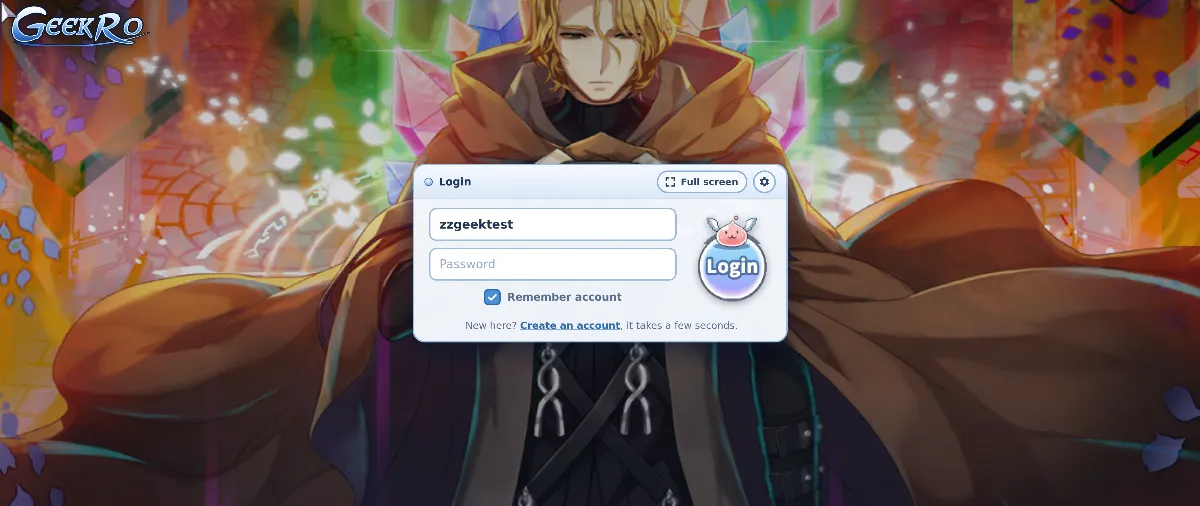
- On the login screen, tap .
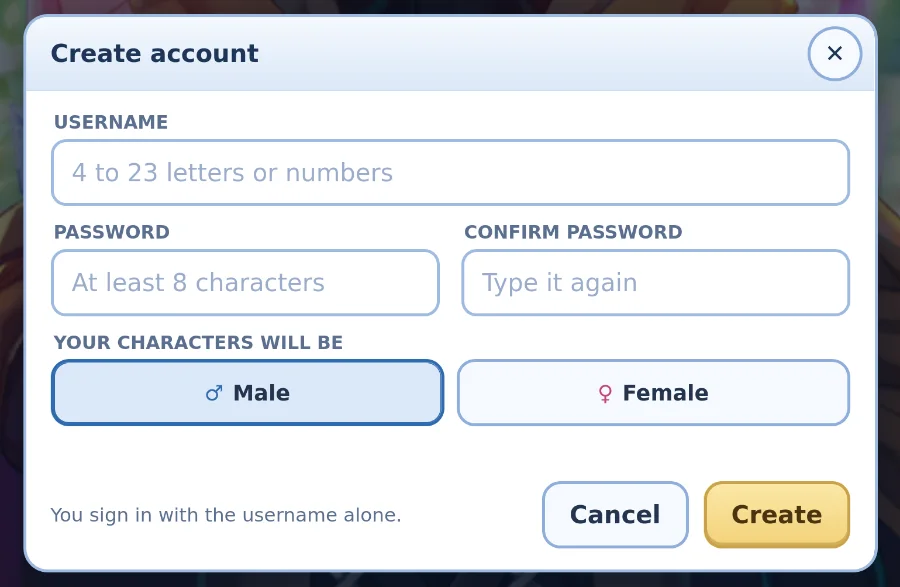
- Choose a username (4 to 23 letters or numbers) and a password (at least 8 characters), and type it twice.
- Pick Male or Female, then . You are logged in right away.
The classic login screen has no sign-up form. Type your new username with _M or _F at the end (for example Arthur_M) and a password of 8 characters or more, then log in. That creates the account. From then on, log in with the plain username.
A password shorter than 8 characters shows only "Incorrect password". Check the length first.
Create a character
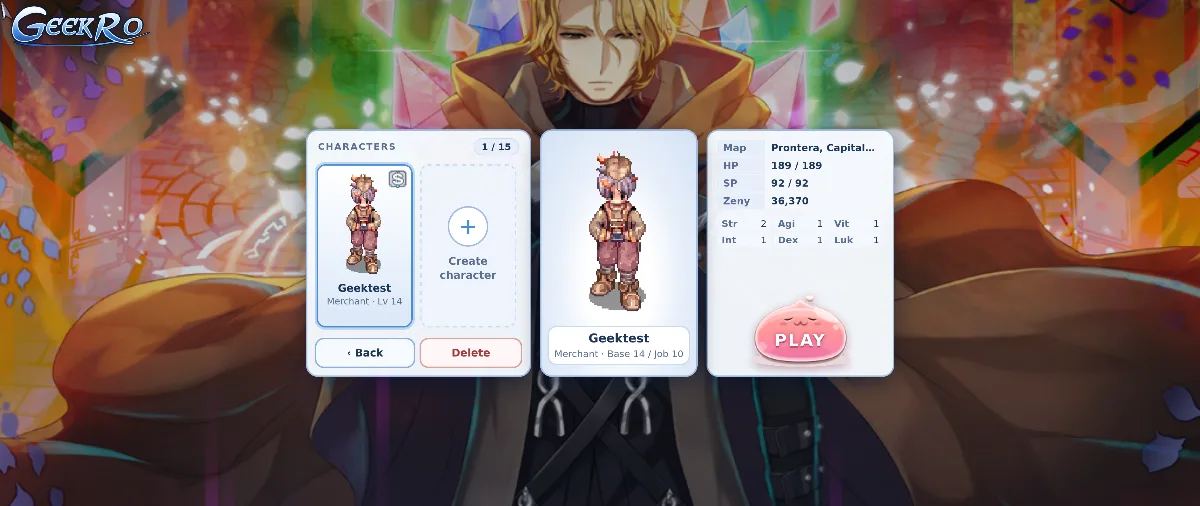
Each account has 15 character slots. Tap an empty slot (+ Create character).
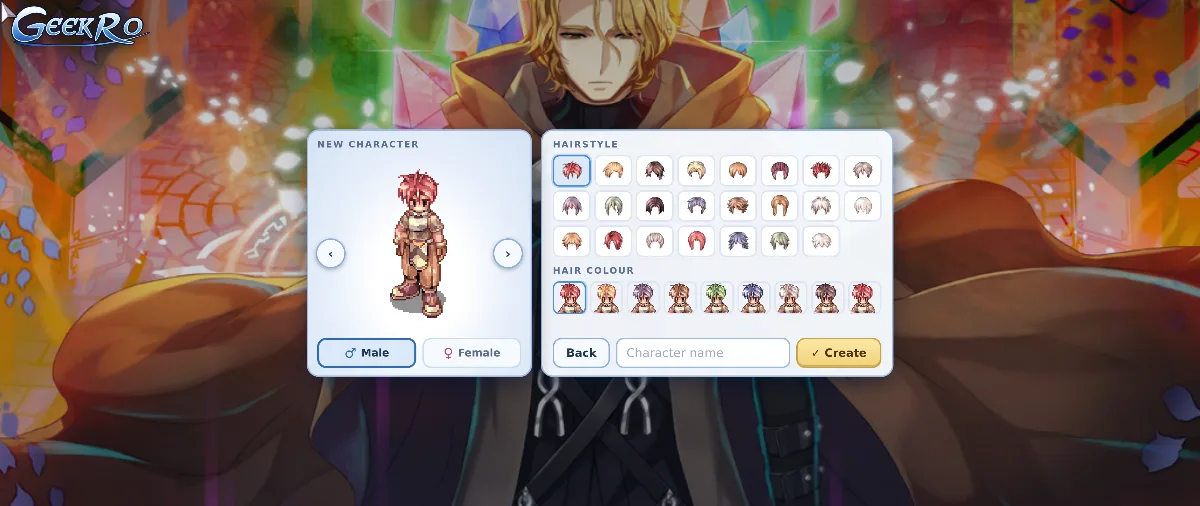
- Pick male or female, a hairstyle and a hair colour. The arrows turn your character around.
- Type a name: 4 to 23 characters, letters, numbers and spaces only.
- Tap , then PLAY.
Every character starts as a Novice in Prontera.
Your welcome gift
On your first login each new character gets 1,000 zeny and a Leveling Box 1. Open it from your inventory (Items tab). Each box opens at the level in its name and holds the next box.
| Box | Opens at | Inside |
|---|---|---|
| Leveling Box 1 | Base 1 | Autumn Leaves (headgear), 20 Light Red Potions, the Auto-Attack Device, Leveling Box 20 |
| Leveling Box 20 | Base 20 | 100 Light Red Potions, 5 Light Concentration Potions, 50 Novice Fly Wings, 10 Novice Butterfly Wings, Leveling Box 40 |
| Leveling Box 40 | Base 40 | 50 each of Light Orange, Light Yellow and Light Blue Potions, 5 Light Awakening and 5 Light Concentration Potions, 50 Novice Fly Wings, 10 Novice Butterfly Wings, Leveling Box 70 |
| Leveling Box 70 | Base 70 | 100 Light Yellow, 50 Light White and 50 Light Blue Potions, 10 Light Awakening and 10 Light Concentration Potions, 50 Novice Fly Wings, 15 Novice Butterfly Wings, Leveling Box 80 |
| Leveling Box 80 | Base 80 | 125 Light Yellow, 60 Light White and 60 Light Blue Potions, 10 Light Awakening and 10 Light Concentration Potions, 50 Novice Fly Wings, 20 Novice Butterfly Wings, Leveling Box 90 |
| Leveling Box 90 | Base 90 | A Random Costume Visual Hat, a Random Poring Beginner Box (a Poring hat), 100 Light White and 75 Light Blue Potions, 10 each of Light Awakening, Concentration and Berserk Potions, 20 Novice Butterfly Wings |
The boxes and what they hold belong to that character. The Auto-Attack Device belongs to your account.
If the contents don't fit (weight or slots), the box comes back to your inventory. Make room and open it again.
Server rates
| Setting | Value |
|---|---|
| Version | Pre-renewal (classic), up to transcendent jobs |
| Base and job EXP | 7x |
| Item drops | 7x |
| Card drops | 7% per card (bosses and MVPs 5%) |
First steps in Prontera
- Visit the Buffer just south of the fountain: free buffs, a full heal, and he identifies your items. See Who's who in Prontera.
- Reach job level 10 as a Novice, then talk to the Job Master for your first job.
- The Warper takes you to towns, fields and dungeons for free. Its first entry is today's Map of the Day.
- From base level 10, take your Daily Contracts at the Contracts Board for EXP, zeny and RO Coins.
Deleting a character
On character select, pick the character and tap , then confirm. It happens at once, with no waiting time and no birthdate to type. A character in a party or a guild must leave it first.